Elite Professionals
Done well outside government? Meet those inside it.
For people who’ve built something outside government and want to know those who serve inside it. There are four ways to qualify, each shown with a document you already have.
Android is coming soon.
Who qualifies
Who qualifies, and what you’ll need.
Doctors, lawyers, founders, business families and senior leaders who’ve done well.
Who can join
25 or older- Salary of ₹50 lakh or more a year
- Business turnover of ₹5 crore or more
- Net worth of ₹5 crore in liquid assets, or ₹10 crore in all
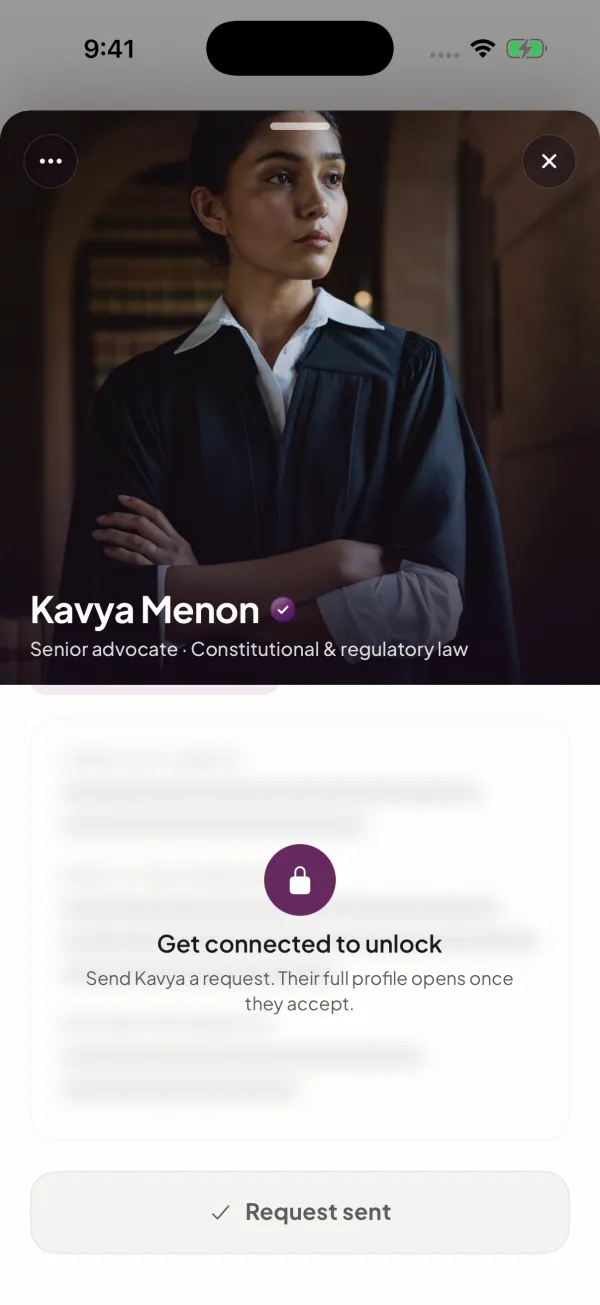
- Recognised in your field, such as a senior advocate or a board director
- 25 or older
Documents you’ll need
- Salary: your Income Tax Return or payslips
- Business: GST returns and the business’s GSTIN
- Net worth: a certificate signed by your CA, with their ICAI membership number
- Recognised in your field: one credential and two referees
Everyone also confirms who they are on DigiLocker, takes a quick selfie, and a person checks it all.
Verification
How we check, step by step.
Choose Elite member
Then pick the one document that shows you qualify.
Add your document
Payslips or an ITR for salary, GST returns for a business, a certificate from your CA for net worth, or a credential and two referees if you’re recognised in your field.
Add the details that go with it
Your GSTIN, your CA’s membership number, or your referees’ names and numbers, depending on the document.
Confirm your identity
On DigiLocker. You give permission on DigiLocker’s own screen.
Take a short selfie
Look at the camera, then copy two quick poses. We match it to your photos. Members never see it.
A person reviews it
Our team checks everything before anyone can see your profile.
Inside the app
What it’s like inside.
The Members directory
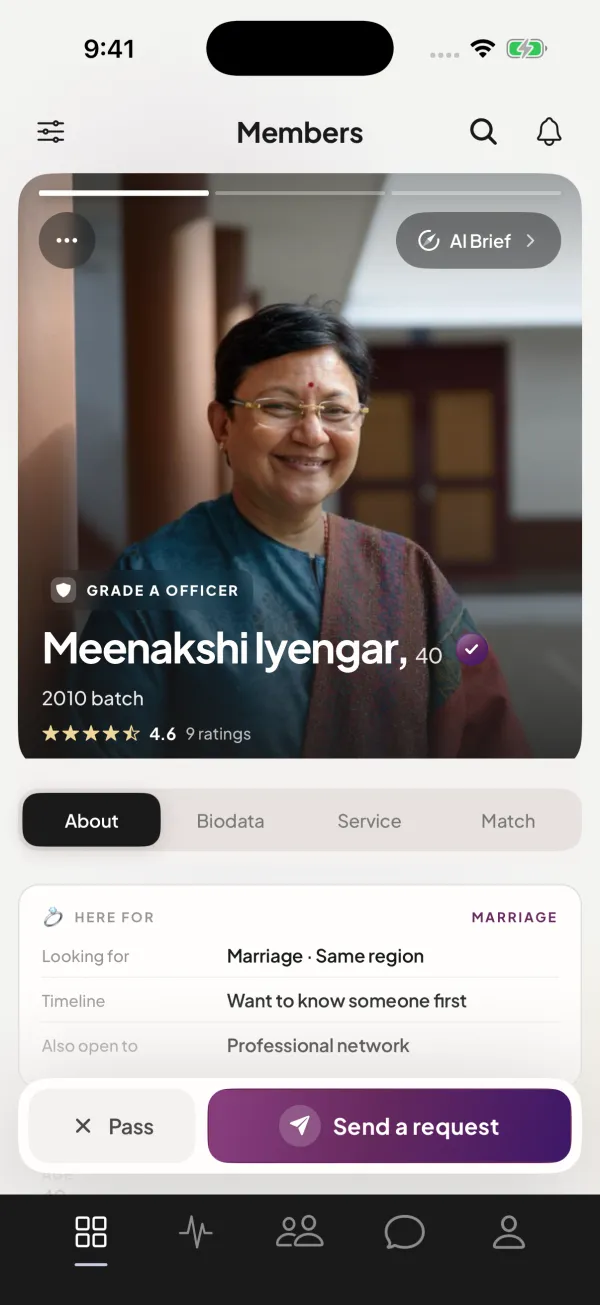
Browse members. Every one checked.
Filter by role, service, cadre, batch, city, industry, what people are looking for and more. You get 7 requests a day, so each one counts.
Network tools
Common ground, ask or offer, and coffee.
In a work chat, see what you have in common, ask for advice or offer help, suggest a time for coffee, or introduce someone you both should know.
Warm introductions
Introduce two people you know, if both agree.
In a work chat, suggest one of your other connections to the person you’re talking to. It goes ahead only if both of them say yes.
Instant Meetups
Free right now? See who else is.
Say you’re free, for an hour, until midnight or up to 48 hours. People see your city, never your exact spot, and a chat opens when they accept your meetup request.
Circles
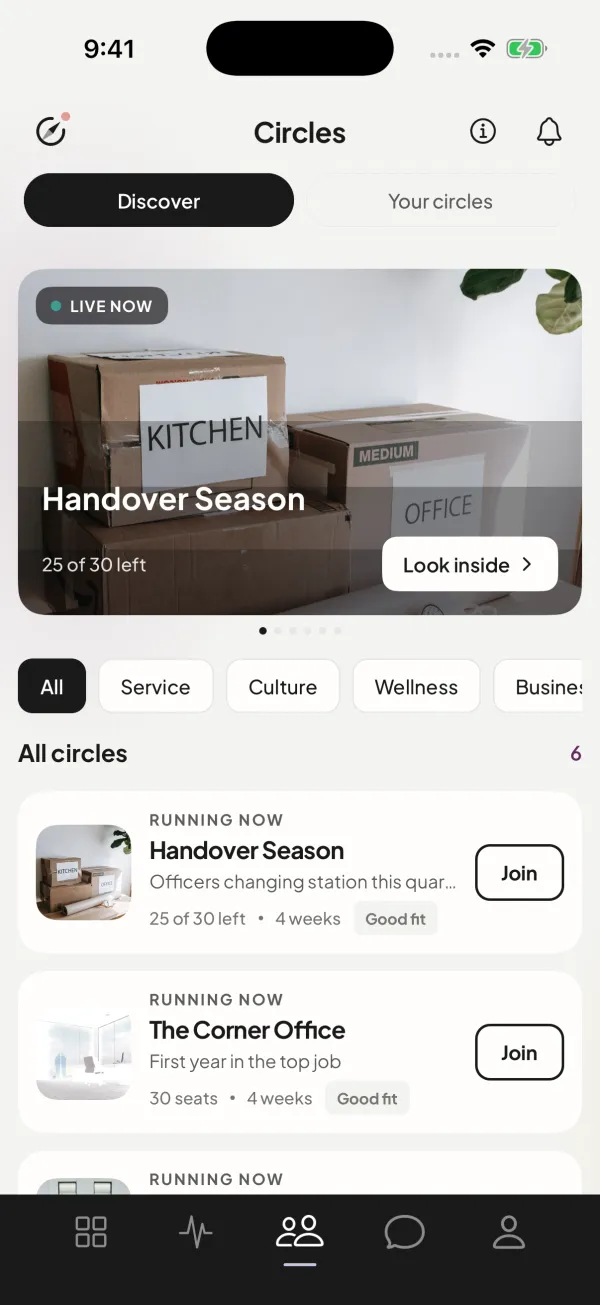
Small groups, one topic, a question each morning.
About thirty members, one topic, usually for four weeks, with a new question at 07:00 IST. Anyone can read any Circle; to answer, ask for a seat, and hold up to two at once.
Private until you connect
Two photos and a headline, until you connect.
Before you connect, people see two of your photos, one prompt and the basics. Family, religion, horoscope and everything else open only when you both say yes.
FAQ
Good questions, plain answers.
What are the four ways to qualify?
Any one of these: a salary of ₹50 lakh or more; business turnover of ₹5 crore or more; net worth of ₹5 crore in liquid assets or ₹10 crore in all; or recognition in your field, such as a senior advocate, a board director or a published author, confirmed by two referees.
Who sees my documents?
Only our verification team. Members never see them, and they’re kept apart from your profile.
Is there a membership fee?
No. There are no subscriptions and nothing to buy. Credits are earned in the app and have no cash value.
Can I use it just for work contacts?
Yes. Choose Professional network as the reason you’re here. Work chats come with Network tools: see what you have in common, ask for or offer help, plan a coffee, or make an introduction.
You built something. So did they.
Download Officer Saathi for iPhone to apply.
Android is coming soon.